
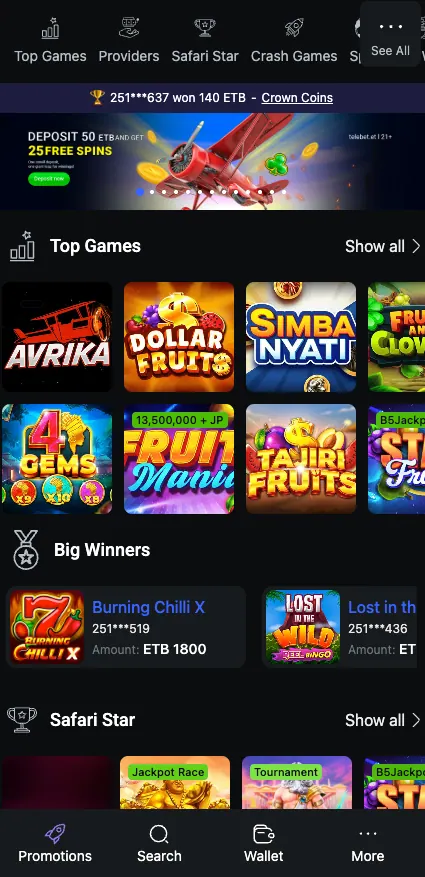
Getting into a Telebet account takes a phone number, a password and a couple of minutes. This page walks through Telebet registration, the tele bet login screen, password recovery and the everyday account questions that come up afterwards. It is an independent information page, not the operator's own site.
Phone number + password · 18+
Who can open an account
You need to be of legal age (18+). Play from Ethiopia, use your own phone number and keep to one account per person. Duplicate accounts are the usual reason for blocked withdrawals.
Registration methods
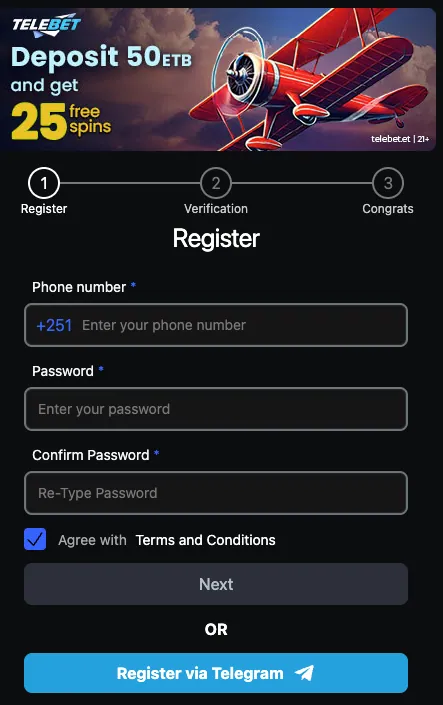
The form on the site is short. Two routes are visible: the standard form with a phone number, and a button to register through Telegram.
| Method | Data requested | Confirmation |
|---|---|---|
| Phone number | Ethiopian number (+251), password, password repeated | Tick the Terms and Conditions box, press Next, then complete the verification step |
| Telegram | Your Telegram account | Approve the request inside Telegram |
No email address is asked on the first screen. Add one later in the profile if the cabinet offers it, since it helps with account recovery.
How to register on Telebet, step by step
Sign up in three steps
Open the registration form
Go to telebet.et and press Register, or use the button on this page. The form shows a three-stage progress bar: Register, Verification, Congrats.
Fill in your details
Enter your phone number after the +251 prefix, choose a password and type it again. Tick the box agreeing to the Terms and Conditions.
Verify and finish
Press Next, confirm your number on the verification screen and wait for the Congrats step. After that the account is ready for a first deposit.
Prefer Telegram? Press Register via Telegram under the form and the account is linked to your profile there, with no password to invent.
Account verification (KYC)
The verification inside the sign-up flow confirms your phone number. A fuller identity check is a separate matter: operators in the market commonly ask for an ID document before a first withdrawal or when the account looks unusual. Telebet does not publish a fixed processing time on the registration form, so ask customer support if a request is taking long. Keep the name on the account identical to the name on your documents and on your mobile wallet.
Telebet login
The login form is just as short. Enter your phone number, your password and press Login. A Remember me tick box keeps you signed in on that device, so leave it off on a shared phone.
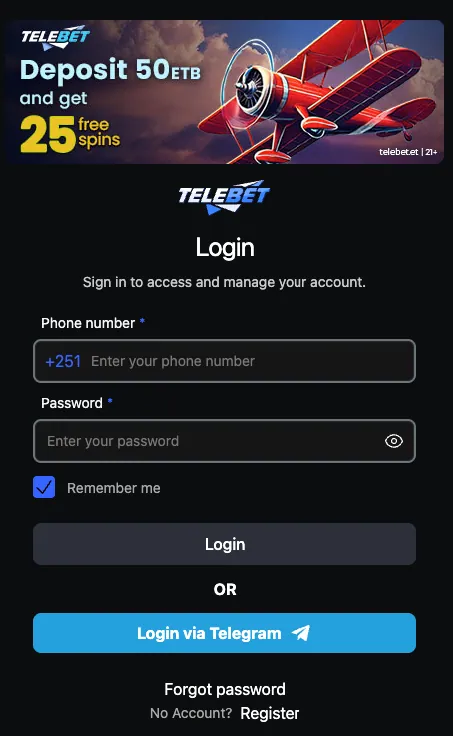
If you registered through Telegram, press Login via Telegram instead. The same screen has a link to the sign-up form for anyone who has no account yet.
Telebet login on mobile
The site works in a mobile browser, and the same details sign you in. The Telebet app uses the same phone number and password, so there is no second account to create. Sign in once, and the app keeps the session until you log out.
Login problems and quick fixes
- Wrong password: check that Caps Lock is off and that the eye icon shows what you typed.
- Number rejected: type it without the leading zero after +251.
- Registered via Telegram: use the Telegram button, not the phone form.
- Page does not load: try another network, such as Wi-Fi instead of mobile data, and clear the browser cache.
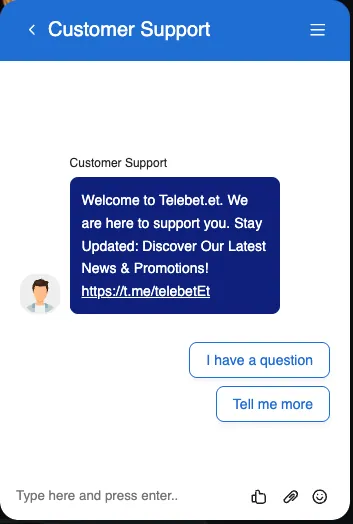
- Still stuck: contact support through the chat on the site.
Password recovery
Press Forgot password under the login form and follow the prompts to set a new one. Pick something you do not use on other sites, with letters, numbers and a symbol. If the reset does not arrive, write to support from the number registered on the account.
Managing the account
Most of the following sits in the account cabinet or can be handled through support. Menu names change between versions, so look for the profile section first.
- Changing phone number or email: ask support, as the phone number is the login. Expect to confirm your identity.
- Personal data: keep name and details accurate, because they must match your payment wallet.
- Bet history: look for the history or "my bets" section in the cabinet.
- Closing or deleting the account: send a request to support and withdraw your balance first.
- Taking a break or self-exclusion: request it from support. Our home page and the footer have links to help organisations if gambling stops feeling like fun.
Keep your account safe
Use a strong, unique password and never share SMS codes or your password with anyone, including people who claim to work for Telebet. Support does not need your password.
After registration
A new account usually starts with a deposit. Telebirr, CBE Birr and eBirr are the local options, and the payments page covers them in detail. The bonuses page explains the welcome offer, so read its conditions before you deposit rather than after. Once you are in, the sport and casino sections are one tap away.
Frequently asked questions
How do I register on Telebet in Ethiopia?
Open telebet.et, press Register, enter your phone number after +251, set and repeat a password, accept the Terms and Conditions, press Next and complete the verification step.
Can I sign up with Telegram?
Yes. The registration and login forms both have a Telegram button, so you can create and open an account through your Telegram profile.
What do I need for Telebet login?
The phone number and password you registered with. Tick Remember me to stay signed in on your own device.
How do I log in to Telebet on mobile?
Use the mobile browser or the Telebet app. Both accept the same phone number and password.
I forgot my Telebet password. What now?
Press Forgot password under the login form and set a new one. If nothing arrives, contact support from your registered number.
Can I have more than one Telebet account?
No. One account per person is the standard rule, and duplicates can lead to blocked withdrawals.
How do I close my Telebet account?
Withdraw your balance and send a closure request to customer support. The same route works for a break or self-exclusion.
Do I have to verify my identity?
Phone verification is part of sign-up. Document checks may be requested before withdrawals, so keep your details accurate.